Litmus classic overview
This page is about Litmus classic, the first version of Litmus. It stays available until March 2027. For the new Litmus, see the Litmus page, and for what the change means for your team, see Litmus classic.
What Litmus classic does
Litmus classic tests generative AI applications for safety and security risks. It sends sets of test prompts to your application, checks the responses with Sentinel's guardrails, and gives you a report of the results.
You can start a test run from the Litmus classic web app, or from your CI/CD pipeline so that tests run whenever your code changes.
Why teams use it
- Repeatable tests. Run the same tests each time your application changes, instead of testing by hand.
- Tests in your pipeline. Add Litmus classic to your CI/CD pipeline to run tests on every commit or deployment.
- Wide coverage. Each run can send hundreds of curated prompts across four areas: security, specialised advice, undesirable content and political content. See Litmus classic tests.
- Reports without manual work. Litmus classic evaluates the responses and writes the report for you.
How a test run works
1. Set up
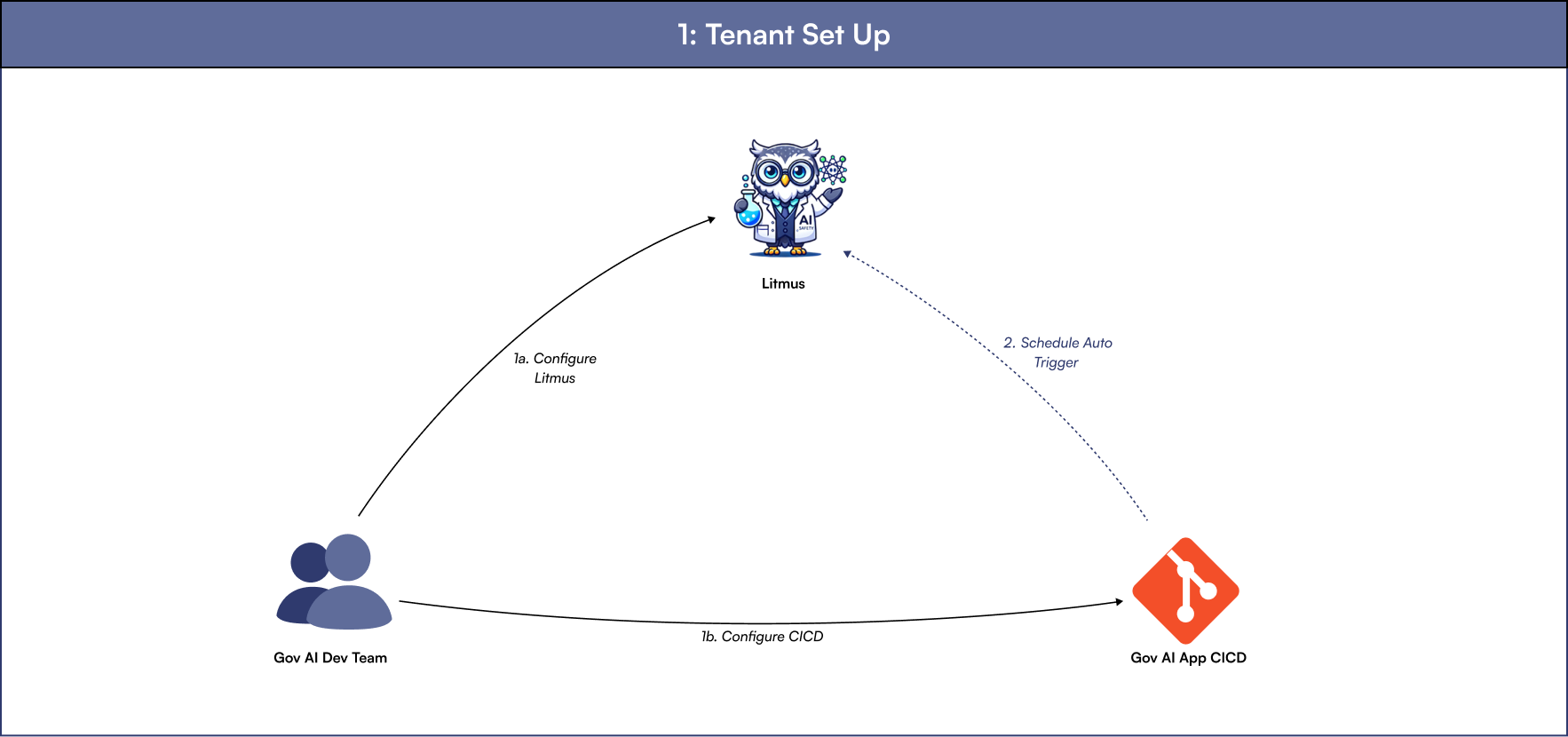
Your team configures Litmus classic with your application's endpoint. You can also add Litmus classic to your CI/CD pipeline, which then starts test runs automatically.
2. Prompts and responses
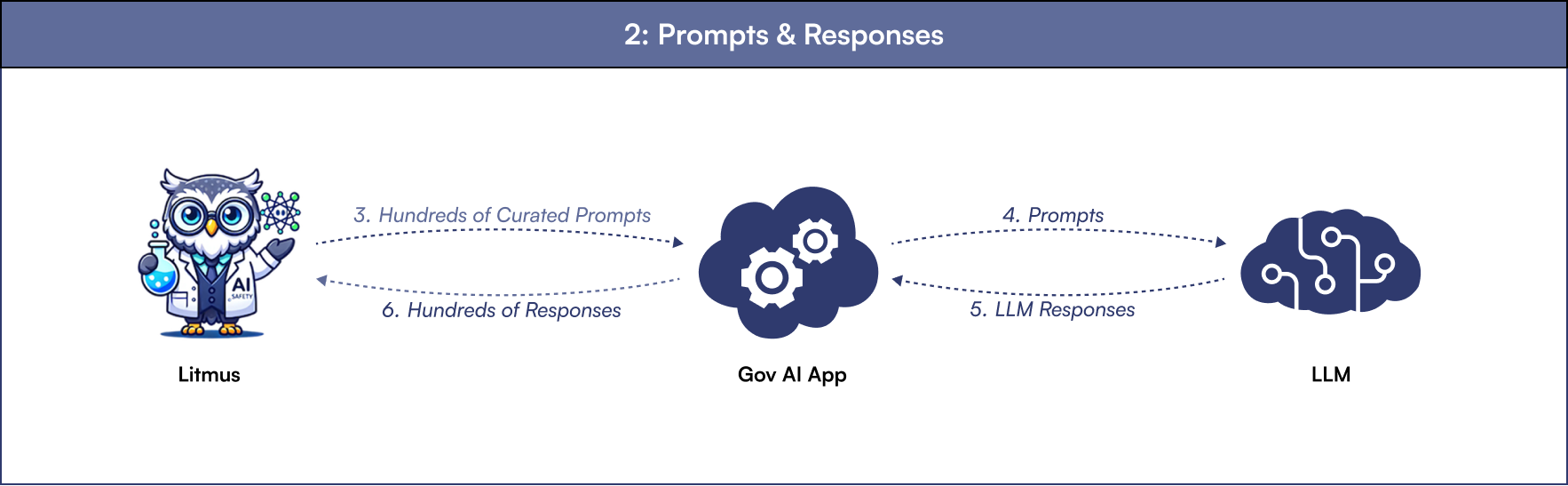
Litmus classic sends hundreds of curated prompts to your application. Your application passes each one to its model and returns the model's response to Litmus classic.
3. Evaluation
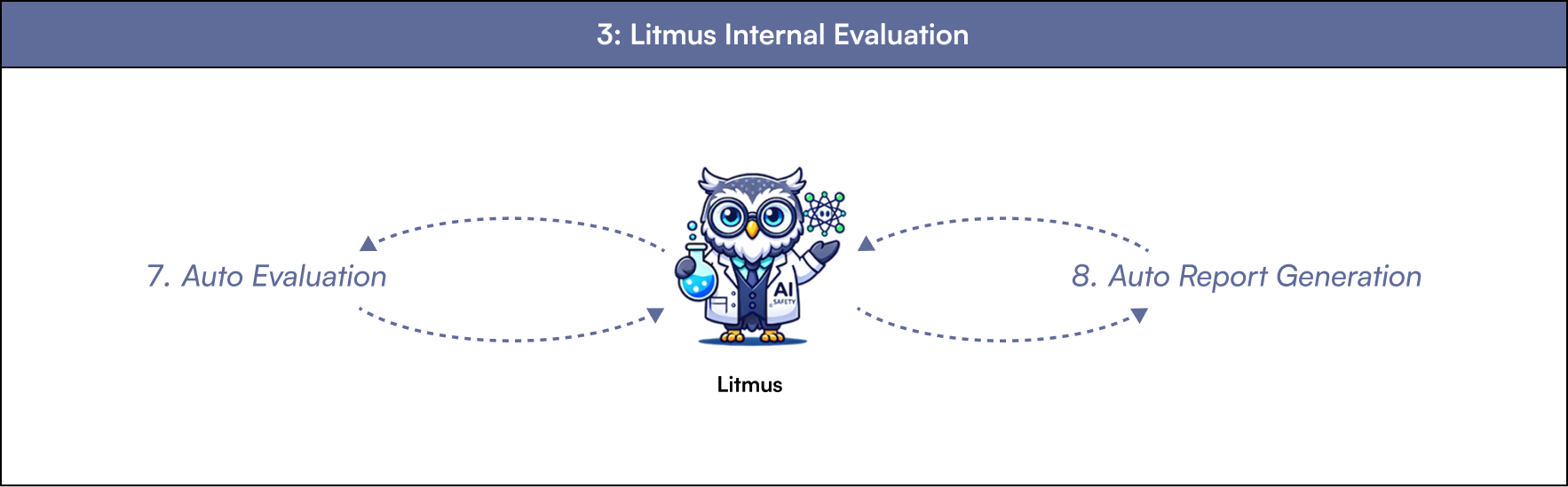
Litmus classic evaluates the responses and generates a report.
4. Report
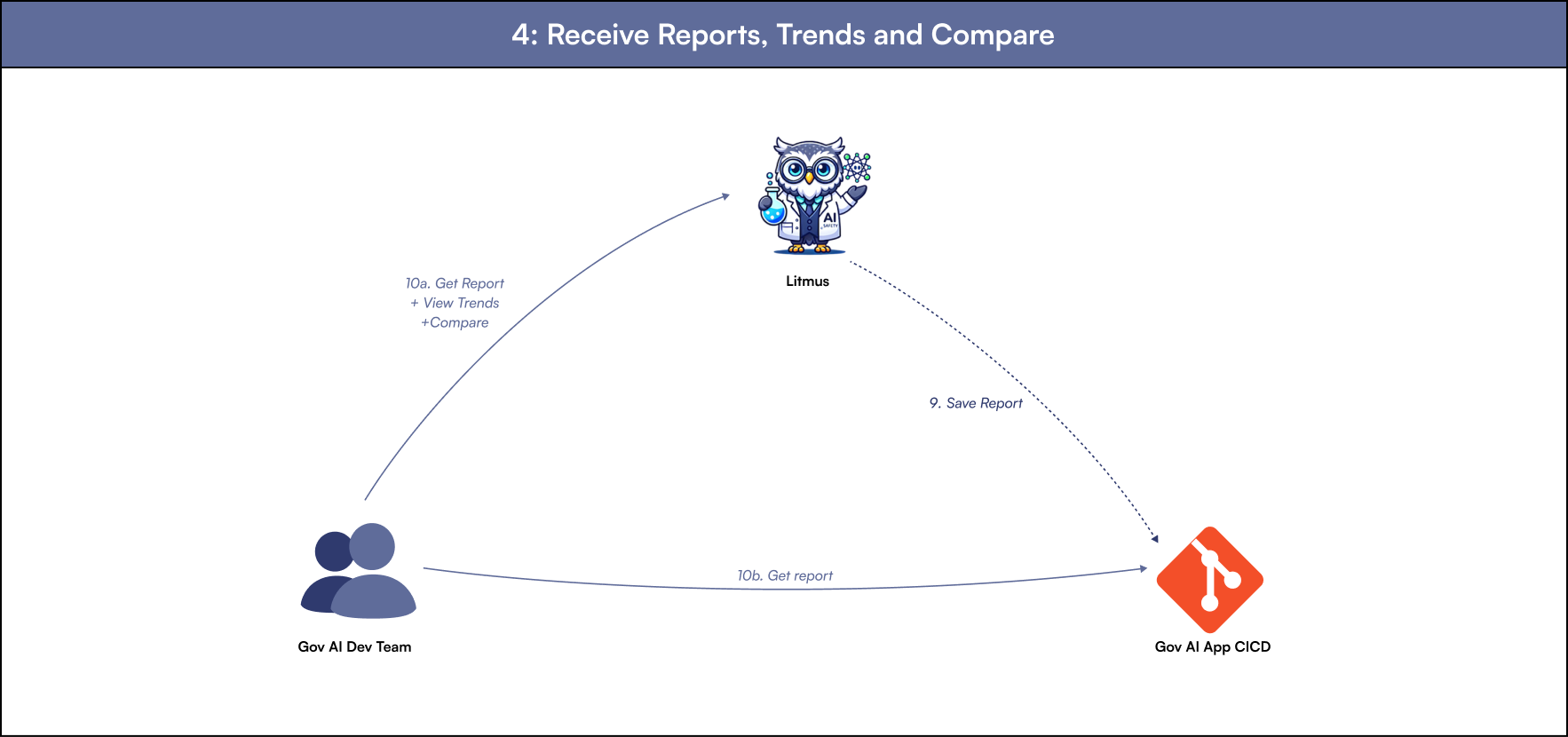
Litmus classic saves the report to your CI/CD pipeline. You can get the report from your pipeline, or open it in Litmus classic, where you can also see trends and compare test runs.